How to Upgrade
Simply visit our website at www.Alembx.com and click the pricing menu option.
Or click the Upgrade Now button on the opening Welcome screen:
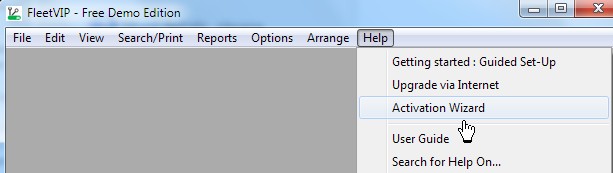
Or click Upgrade via Internet from the main window Help menu as shown below:
You will then be taken to the www.Alembx.com website upgrade information screen. (Make sure your internet connection is online.)
After upgrading at the website, you will receive an activation code by email. Then click the 'Activation Wizard' button on the FleetVIP opening screen as shown below to enter your activation code.
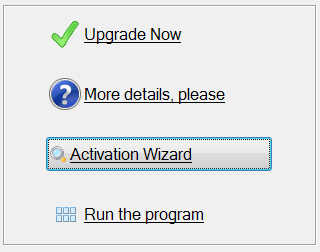
You may also access the Activation Wizard from the main window Help menu as shown below:
Once the Activation Wizard appears, enter the activation code. You may cut-and-paste it from the email.
Related Topic: Benefits when you upgrade FleetVIP